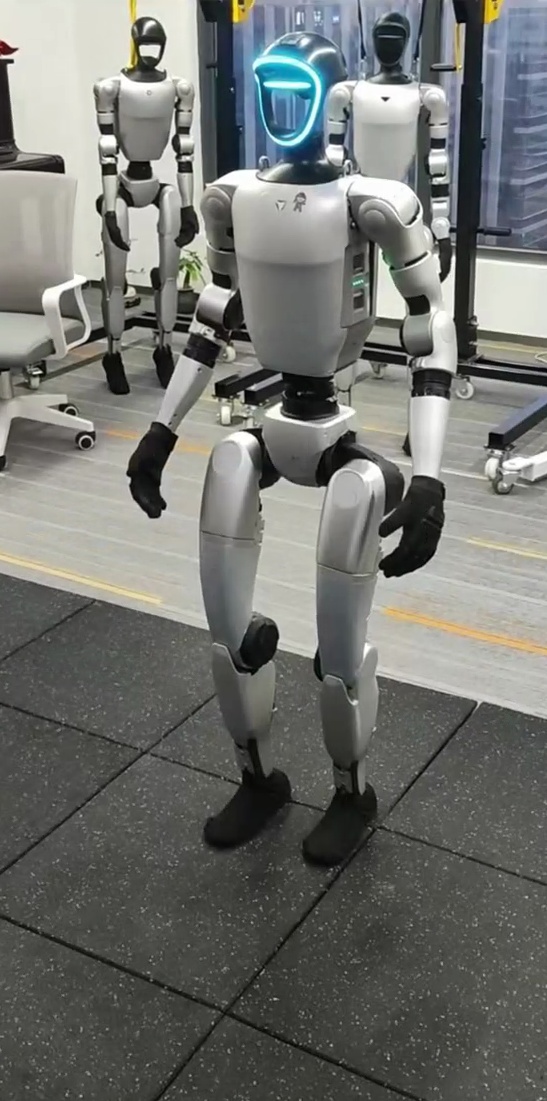
Unitree G1 in the current proof
Motius RoboticsAI-adaptive behavior layer
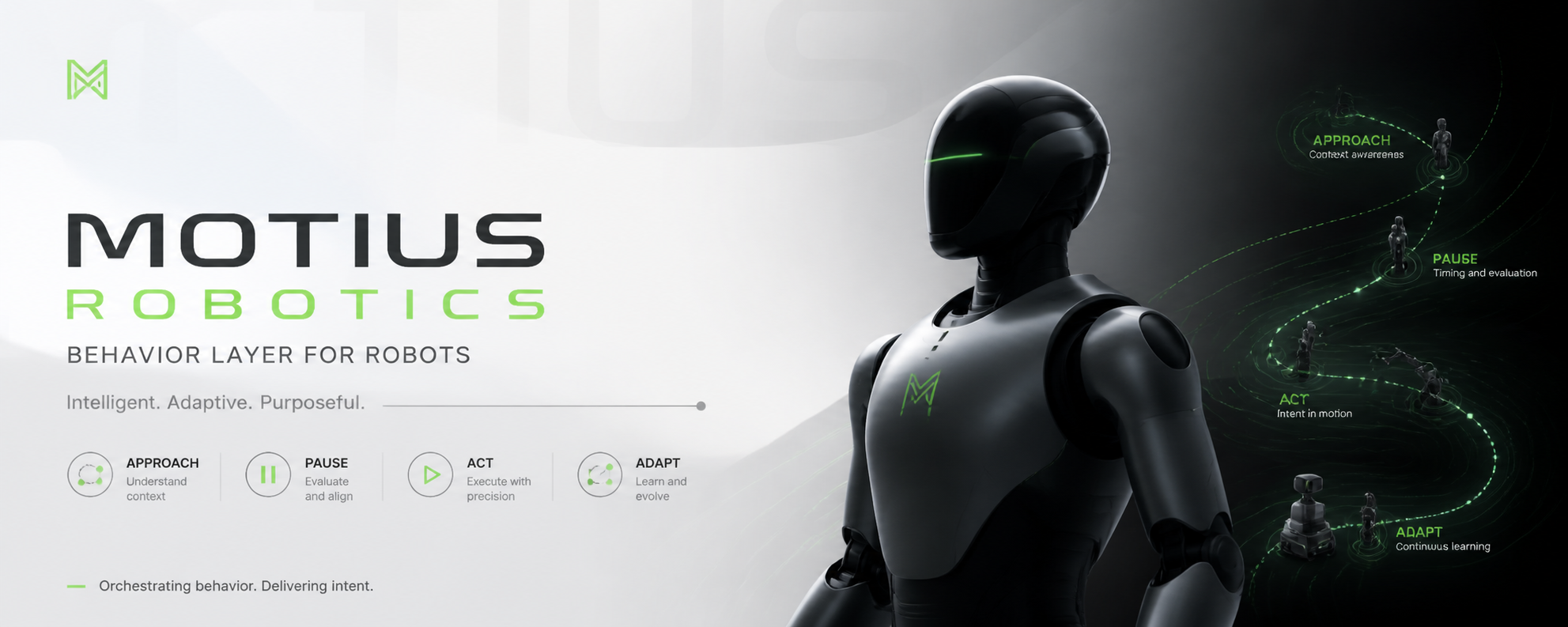
AI-adaptive behavior for service robots.
ROBOTBEHAVIORLAYER
Same robot. Different feel for everyone.
Motius Robotics learns from real interaction data and adapts behavior in real time, so one service robot can slow down, pause longer, or keep more space depending on who is in front of it.
The more the layer runs, the smarter it gets. Community reference data is the long-term moat.
handover / approach / push
real clip-based study participants
pace / pause / distance / smoothing
Motius Robotics is shifting robot behavior away from hand-tuned deployment logic and toward an AI-adaptive layer shaped by real interaction references.
The same robot already shows visible behavior differences across navigation and object interaction while keeping the task family fixed.
Contributed reference clips improve the Reference Network, which improves adaptive behavior quality, which in turn attracts more deployments and more data.
Why now
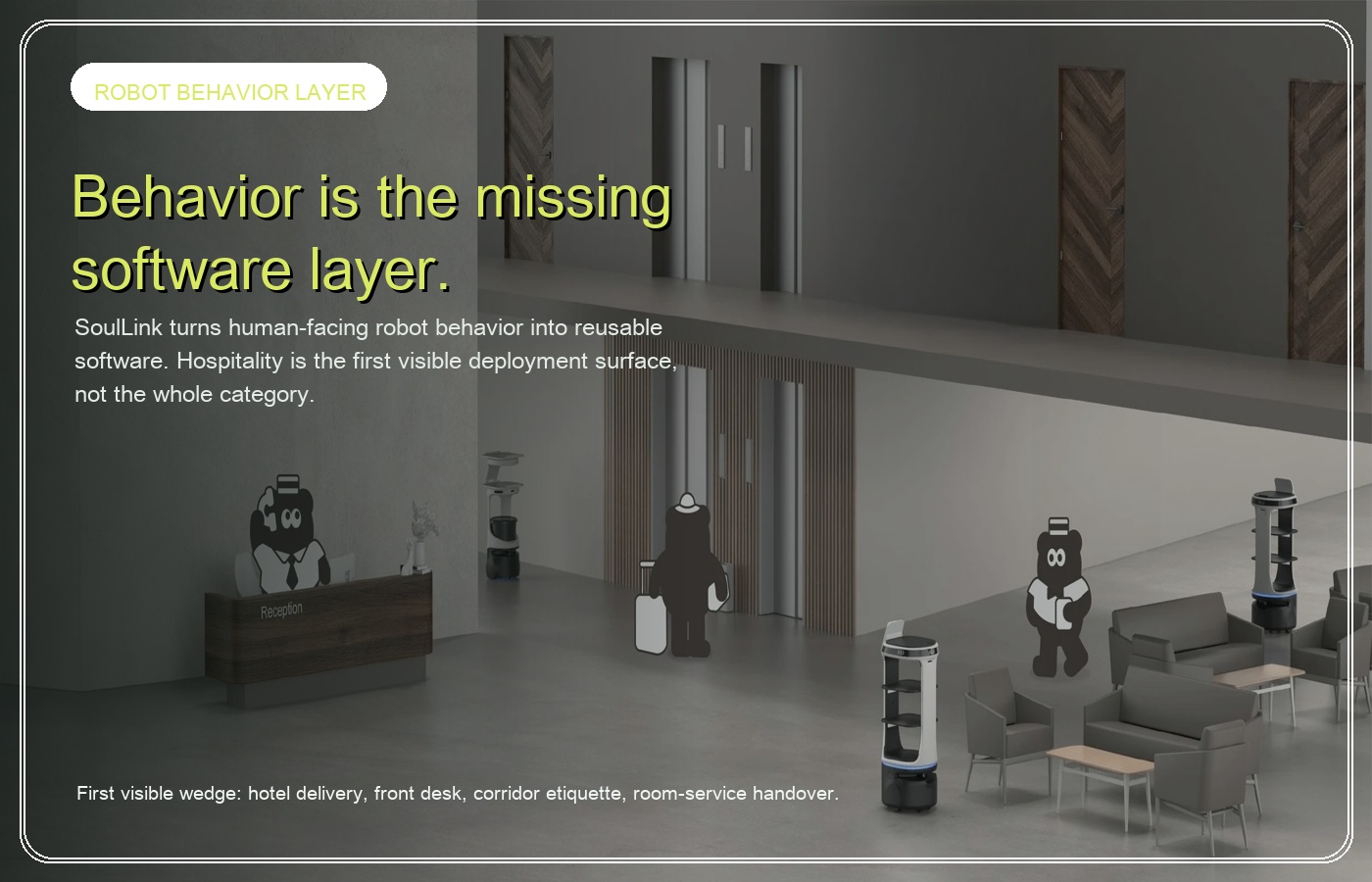
Service robots are scaling.Behavior still gets rebuilt site by site.
Service robots already move through hotels, lobbies, and public environments. What is still missing is a behavior layer that adapts instead of being rebuilt property by property. The same robot feels different in every deployment not because of the hardware, but because nobody built a data-driven way to make behavior transferable and adaptive.
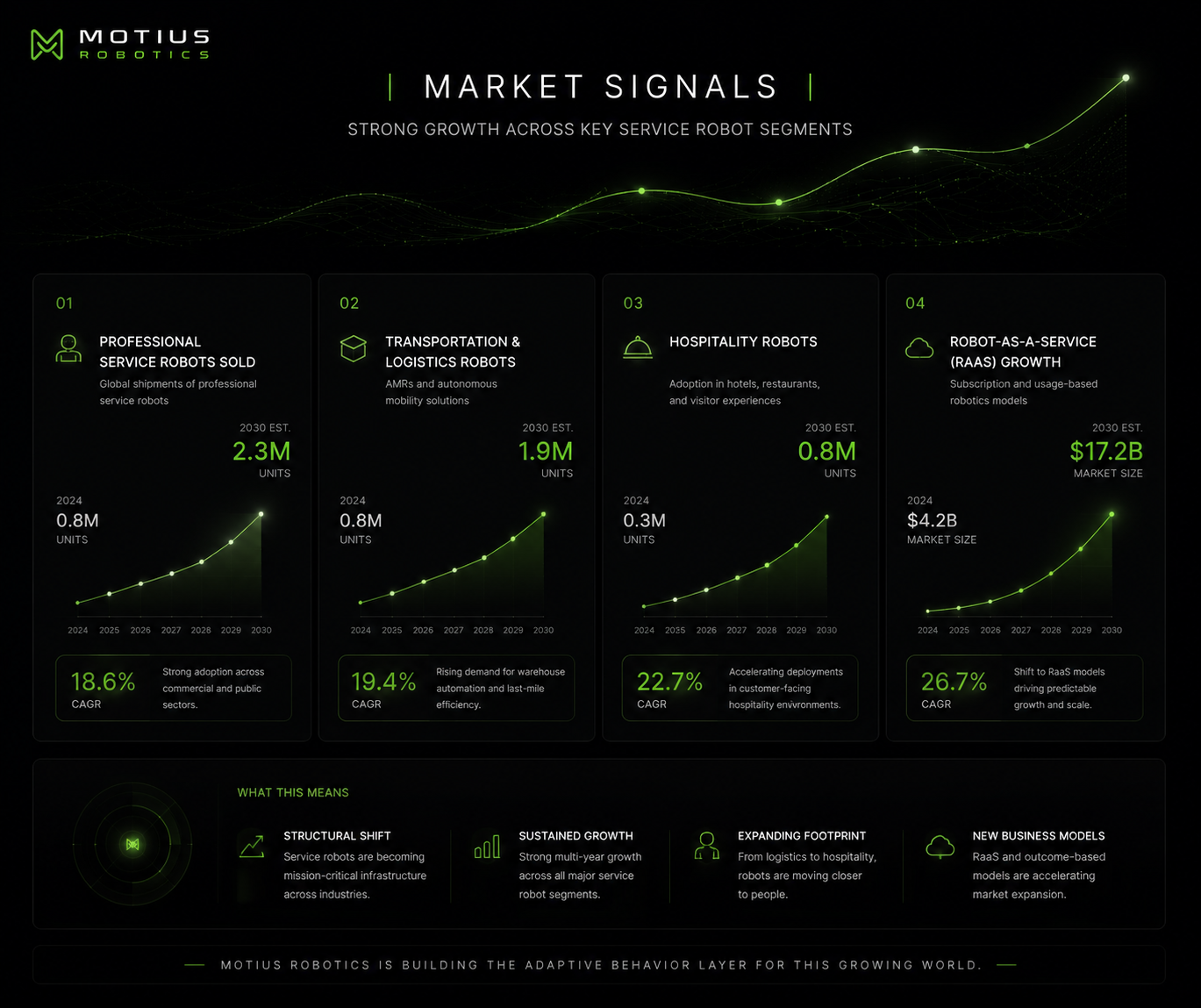
Source: IFR World Robotics 2025 Service Robots report.
How it works
Perceive, adapt, validate, deploy.
Motius Robotics starts with a narrow but compounding loop: perceive the user, adapt behavior in real time, validate the result, and deploy the next version through the same runtime boundary.
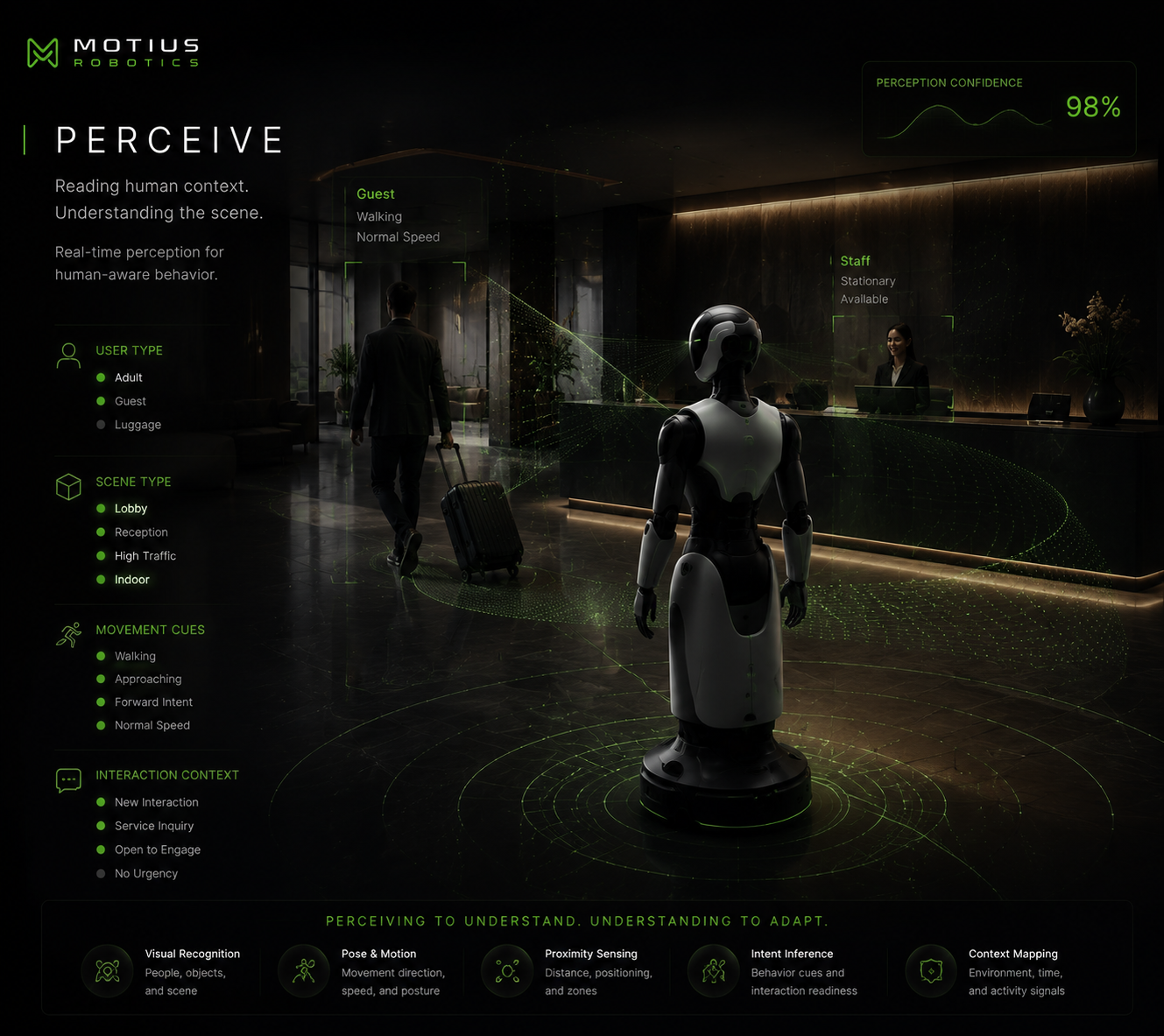 01
01user cuesscene fitreference tags
Perceive
Start with the person, the scene, and the live interaction context.
Motius Robotics treats service behavior as a perception problem first: who is approaching, what setting the robot is in, and what kind of interaction quality is expected.
Input surface: user type / scene type / interaction cues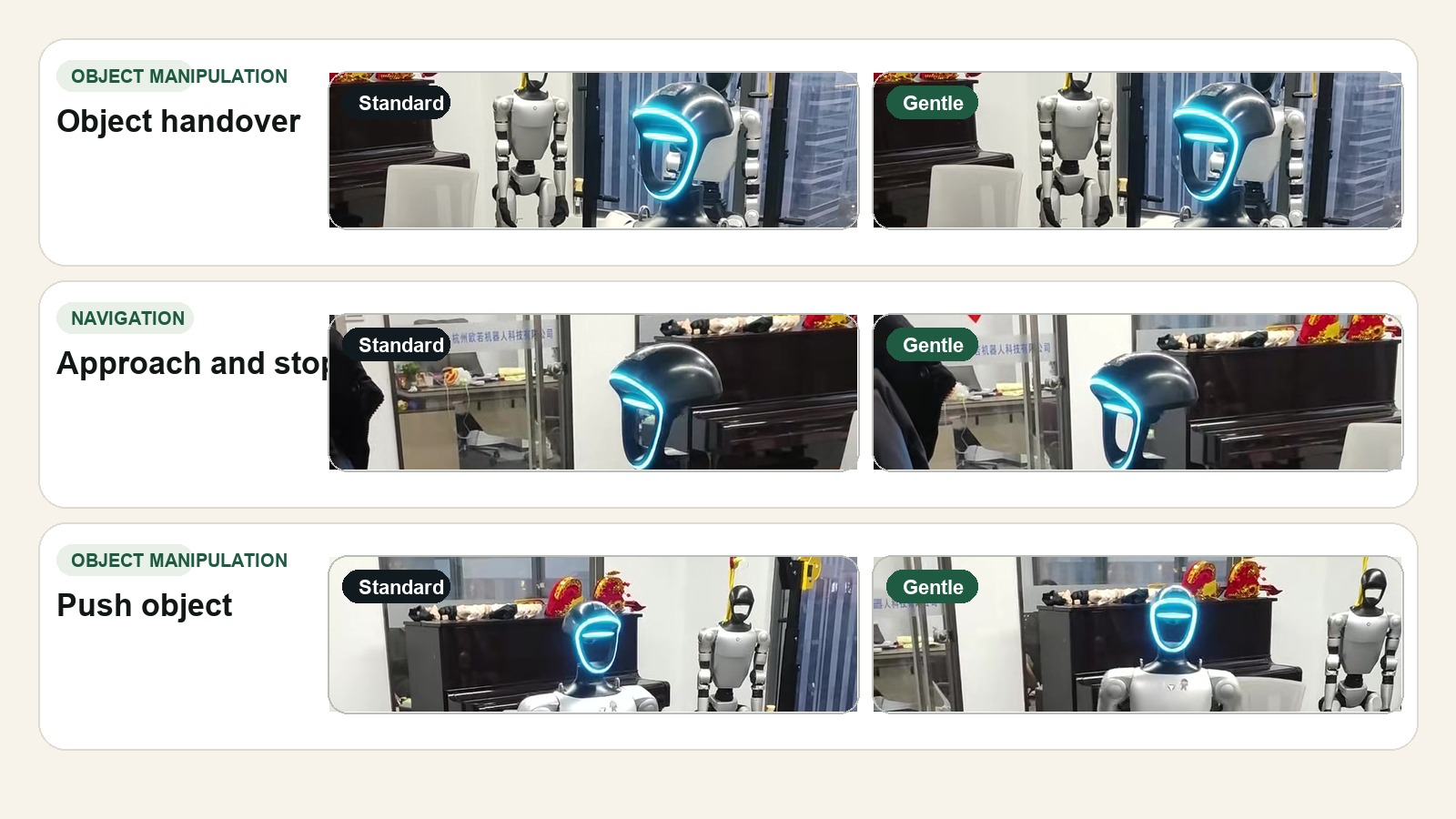 02
02learned rangesruntime shiftssame robot
Adapt
Adjust speed, pause, distance, and finish style in real time.
Profiles are not just fixed values. They are learned ranges that can shift at runtime so the same robot feels calmer, softer, faster, or more formal for different people.
Adaptive fields: speed / pause / distance / smoothing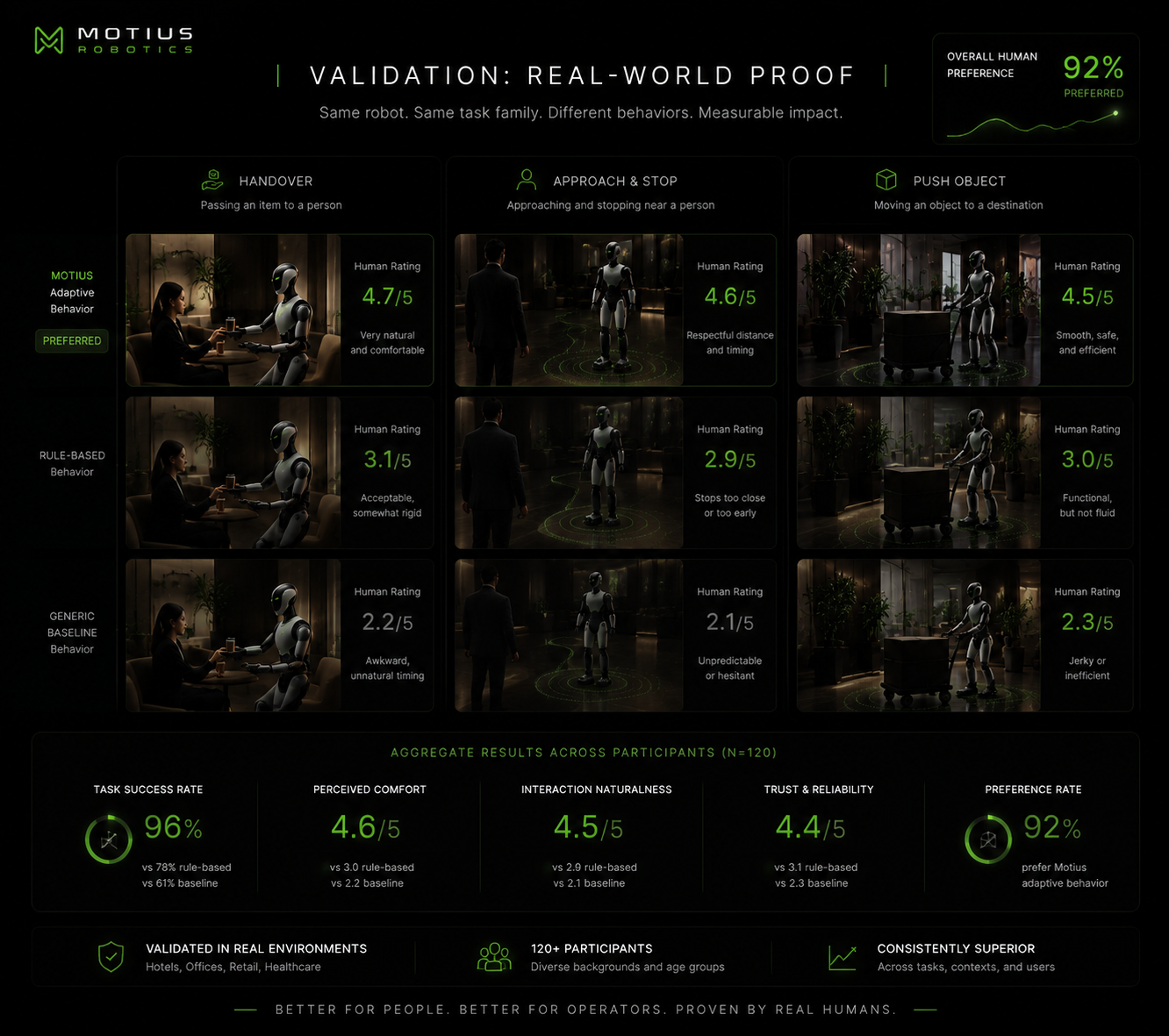 03
03same robotsame tasksdifferent feel
Validate
Keep the same robot and task family while reading the behavior difference.
The current proof already covers handover, approach-and-stop, and push object. What changes is the interaction quality carried through the task, not the underlying task plan.
Validation: cross-task proof + human ratings04adaptercontroller-safedeployable
Deploy
Map the adaptive layer into runtime without replacing control or safety.
Motius sits above the controller. The adapter boundary translates adaptive behavior fields into runtime-safe values while low-level control and hard limits stay below.
Boundary: perceive -> adapt -> adapter -> runtimeParticipate
Two product surfaces already support the data flywheel.
One surface brings in new reference clips. The other opens early deployment demand. Together they make adaptive behavior a system that gets smarter over time instead of a fixed profile catalog.
Contribution flow
Upload service reference videos.
Contributors upload short service interactions, attach behavior tags, and feed the Reference Network that trains and validates adaptive robot behavior.
Upload a short clip from phone or field recording
Tag the behavior: handover, approach, wait, corridor etiquette
Send the file into the Motius Robotics reference queue for review and training use
Pilot surface
Reserve an adaptive behavior pilot.
Operators can reserve an early deployment path around adaptive behavior tuning, validation, and runtime integration before broader rollout opens.
Choose the service context and operating constraints
Capture deployment goals, user expectations, and proof requirements
Reserve now, then scope the first adaptive rollout with Motius
Data flywheel
How the intelligence grows.
Contributors upload real service interactions. The Reference Network structures them. Adaptive behavior models improve. Robots behave better. Better deployments create more data.
Contributors upload clips
Real service interactions enter the Reference Network through short, tagged uploads from the field.
Reference data accumulates
Scene labels, user cues, and behavior notes turn raw footage into structured interaction examples.
Adaptive models improve
Training and review loops sharpen profile ranges, parameter predictions, and validation standards.
Robots behave better
Better runtime adaptation produces calmer arrivals, better timing, and more appropriate service behavior.
More deployments create more data
Each new deployment feeds the next one. The more the layer runs, the smarter it gets.
Adaptive profile layer
Profiles are learned behavior bands, not frozen numbers.
Standard, Gentle, and Attentive are the current surface. The long-term system learns their ranges from real interaction data and adapts their parameters at runtime.
Behavior signatureNeutral / direct / efficient
Neutraldirectefficient
Profile 01
Standard
Standard is a learned base band for clear and efficient service behavior. It is the starting point, not a frozen one-size-fits-all setting.
Base behaviorNeutral / direct / efficient
Adaptive noteCan tighten or soften timing based on service context and user cues
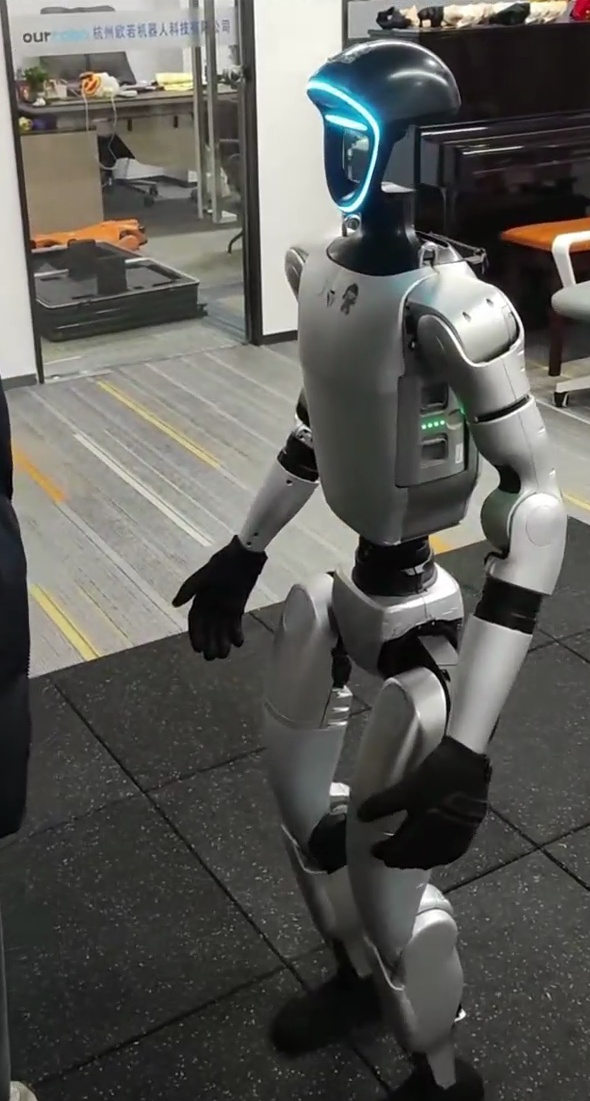
Behavior signatureWarm / patient / soft
Warmpatientsoft
Profile 02
Gentle
Gentle is not a single number. It is a learned range that can slow down, widen spacing, and hold longer for different users without changing the robot body underneath.
Base bandspeed=0.82 / pause=420ms / distance=0.95m
Adaptive rangespeed=0.50-0.95 / pause=250-800ms / distance=0.95-1.25m
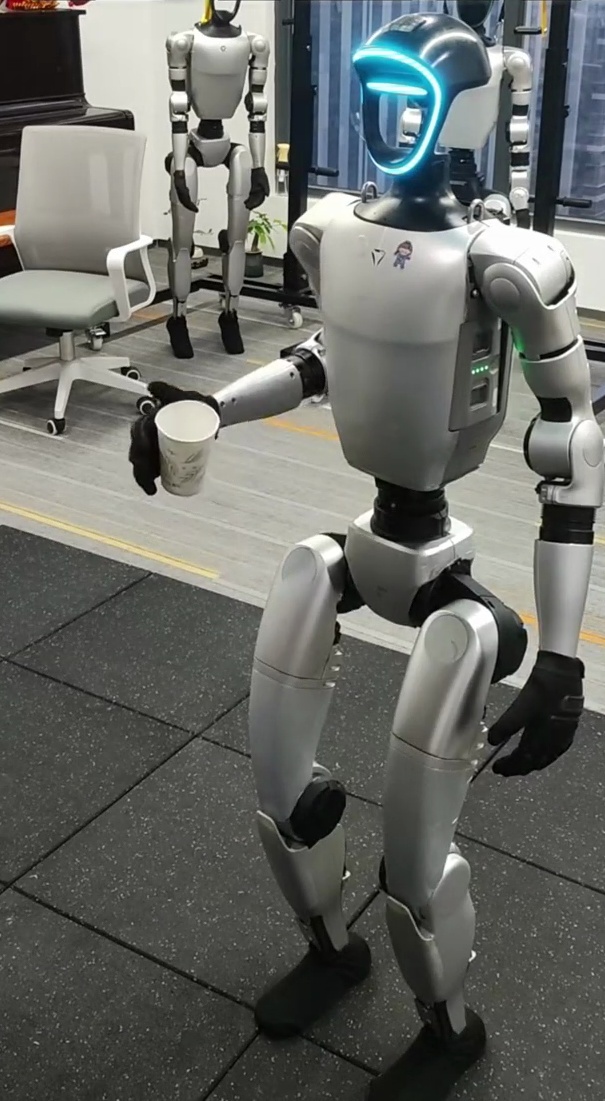
Behavior signatureAlert / polished / social
Alertpolishedsocial
Profile 03
Attentive
Attentive is the more polished, socially readable band for public-facing arrival, greeting, and guidance behavior in visible service environments.
Base behaviorAlert / polished / social
Adaptive noteCan become more direct or more patient depending on user tempo and social density
What “adaptive” means in practice
Same Gentle profile. Different parameters for different people.
Elder approaches: the robot can slow toward 0.65 speed, pause around 650ms, and keep roughly 1.10m distance. Child runs nearby: it can slow further toward 0.50, pause longer, and widen distance toward 1.25m. Business user walks in: it can move closer to 0.90 speed with a shorter pause for a more efficient exchange.
Current proof
Visible interaction proof, early adaptive system.
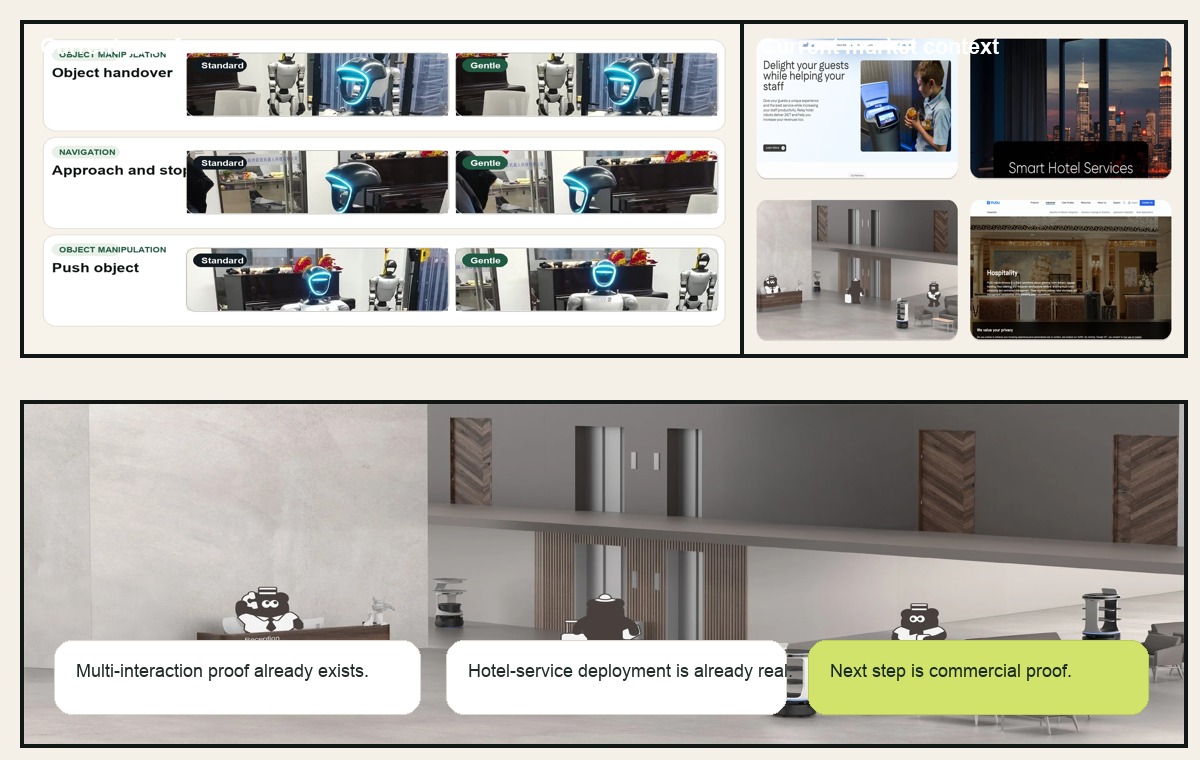
Current footage already covers navigation and object manipulation on the same robot. What changes is not the task plan, but the behavior surface carried through it.
Same robot
Controlled proofThe proof keeps one robot body and one filmed setup while changing only the active behavior surface.
Adaptive readout
Behavior layerCurrent footage already shows that timing, spacing, and finish quality can shift while the task family stays fixed.
Early AI path
Data-driven directionToday’s proof uses explicit profile fields and bounded runtime mapping. The long-term system learns those fields from accumulated reference data.
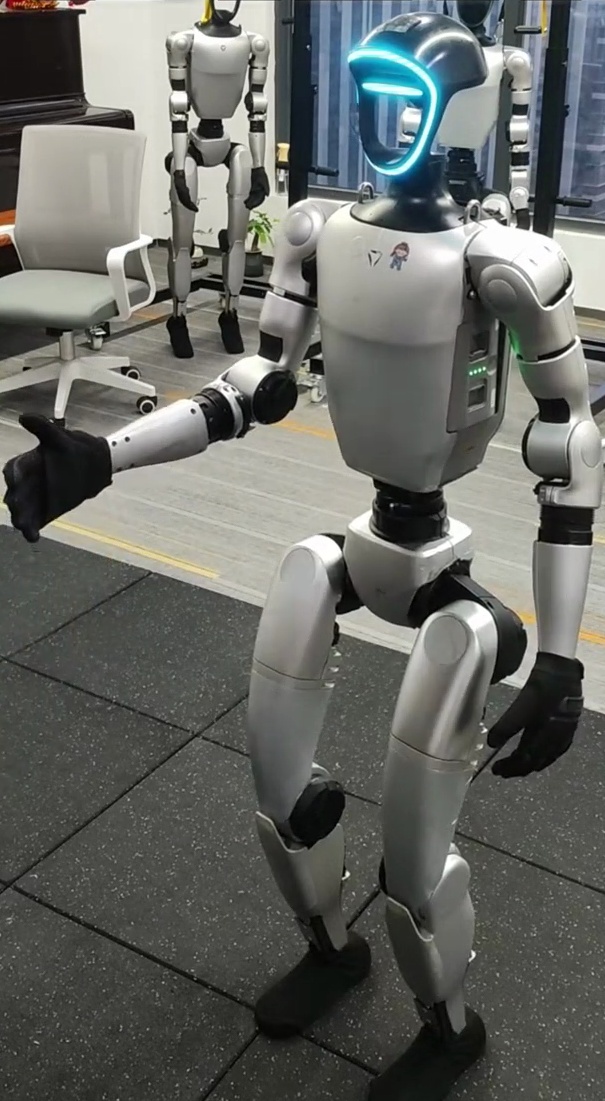
Object manipulationVisible difference in rhythm, hold, and finish softness
Close paceHold durationExit softness
Interaction 01
Object Handover
The handover sequence stays fixed. The active profile changes closing speed, hold duration before release, and how the robot exits the exchange.
StandardStandard / faster close / shorter hold / more direct release
GentleGentle / slower close / longer hold / softer exit
Human readout
Observers read this condition as more comfortable and less abrupt, but not always as clearer, which is exactly the kind of real trade-off the layer should expose.
Reading the proof
What the current demo already shows.
The video is intentionally narrow. It is showing whether a profile change becomes visible before contact, during the interaction, and after the interaction.
How to read the current clip
Current proof already spans navigation and object interaction on the same robot.
The clip is not trying to prove full learned autonomy. It is showing the early proof surface: one robot can keep the same tasks while visibly changing the interaction feel through different behavior settings and adaptive intent.
Actual proof clipOne robot, three visible interactions
Object handover, approach-and-stop, and push object all stay on the same robot body while the active behavior surface changes how the motion feels.
Current status
What already exists today.
A working adaptive prototype, a contribution loop, and multi-interaction proof already exist. What does not exist yet are scaled deployments, a mature learned predictor, or revenue.
Working adaptive prototype
A behavior-layer product thesis, a live contribution flow, and a current adaptive proof already exist in working form.
Data flywheel started
Reference upload, review, and training-oriented intake are already part of the product surface, even before the full loop is scaled.
Pre-revenue
No signed pilot yet. The next step is to turn the current proof and reference loop into the first adaptive deployment path.
Runtime and adaptation
The current proof uses explicit fields. The long-term system predicts them.
Behavior becomes motion through the adapter layer today. Over time, the same runtime boundary can stay in place while adaptive models learn how to set those values from user and scene data.
FieldBaseAdaptive direction
speed_scale0.820.50-0.95 by user and scene
pause_ms420250-800ms by user and scene
approach_distance_m0.950.95-1.25m by user and scene
end_effector_smoothing0.96held stable, then tuned with more runtime data
Core capabilities
Product, systems, data, and validation aligned around one wedge.
Motius Robotics is being built as an adaptive behavior product first, with one clear boundary across product framing, runtime integration, reference data, and live robot validation.
Product layer
AI-adaptive behavior product
Motius Robotics is being shaped as a product around adaptive behavior, contribution flows, and deployment surfaces that grow smarter as more interaction data arrives.
Runtime layer
Systems and adapter boundary
The runtime work stays focused on translating adaptive behavior fields into bounded motion without replacing the controller underneath.
Validation layer
Reference network and validation
Live validation stays tied to real robot execution, community-contributed references, and the rating loops that make the next profile update smarter.
Why Motius Robotics
Motius Robotics is building the AI-adaptive behavior layer for service robots, so the same robot can feel different for different people without being rebuilt from scratch.
Service robots are already here. What they still lack is a behavior layer that learns from real deployments, adapts in real time, and gets smarter as the Reference Network grows. That is the system Motius is trying to build.